AI-assisted performance reviews
Overview
Topicflow is an AI-powered performance management product built around continuous feedback. The basic idea is that performance signals already exist in the tools teams use everyday, like messaging, tickets, PRs, documents, and meetings. People shouldn’t have to maintain a separate performance platform just to write a decent review later. Context Generation is a feature I designed to help managers and ICs draft review answers from real evidence, then click into the sources behind the draft so the output is trackable and evidence-based.
Problem
Review season forces managers to look back. They’re asked to summarize months of work, and most of the time they’re doing it from memory, scattered notes, and whatever they can find in a final scramble. That’s where recency bias shows up, where good work gets missed, and where reviews become way more time consuming than they should be. The frustrating part is the evidence usually exists. It’s just spread across too many places, and managers don’t have the time to stitch it together.
What I heard from managers
I talked to managers across different roles and team setups to understand what they do today and what “help” would actually look like. Most people had a personal system to compensate: A Google Doc per direct report that gets appended forever, OneNote as a year long memory bank, meeting transcripts they mean to read later, and private Slack notes to themselves.
These systems are easy to skip. After some time, information is lost or scrambled, and then the reviews become a pain to complete. Two things came through clearly:
- Managers didn’t want more raw transcripts, they wanted insights they could verify.
- Tool sprawl is a real burden, and managers are stitching things together manually.
- Nobody wanted more overhead. If a workflow requires staying organized all year, it won’t stick.
- Privacy is a big concern when you’re dealing with coaching, 1:1 notes, and sensitive feedback.
Scope and constraints
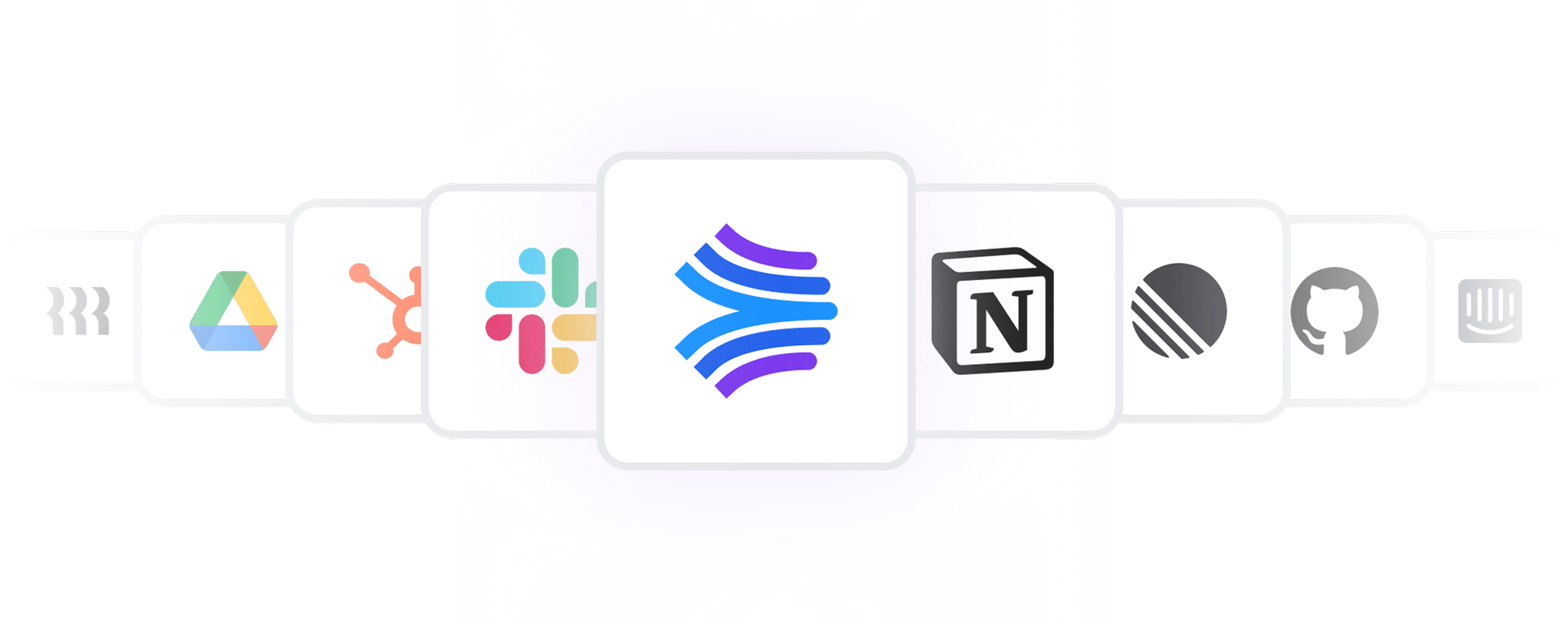
We shipped a beta version ahead of a customer’s review cycle, with December 1st as a hard deadline. That forced scope to stay tight and forced us to design for thin data from day one. We leaned on integrations we already had, like Slack, GitHub, Linear, and Jira, expanded coverage where we could, and built YouTrack support for the beta customer. Permissions were also non negotiable. If the viewer doesn’t have access to the original artifact, they can’t see it as a source, even in admin views. And performance mattered. If context generation takes too long, the feature feels broken even when it’s correct.
Solution
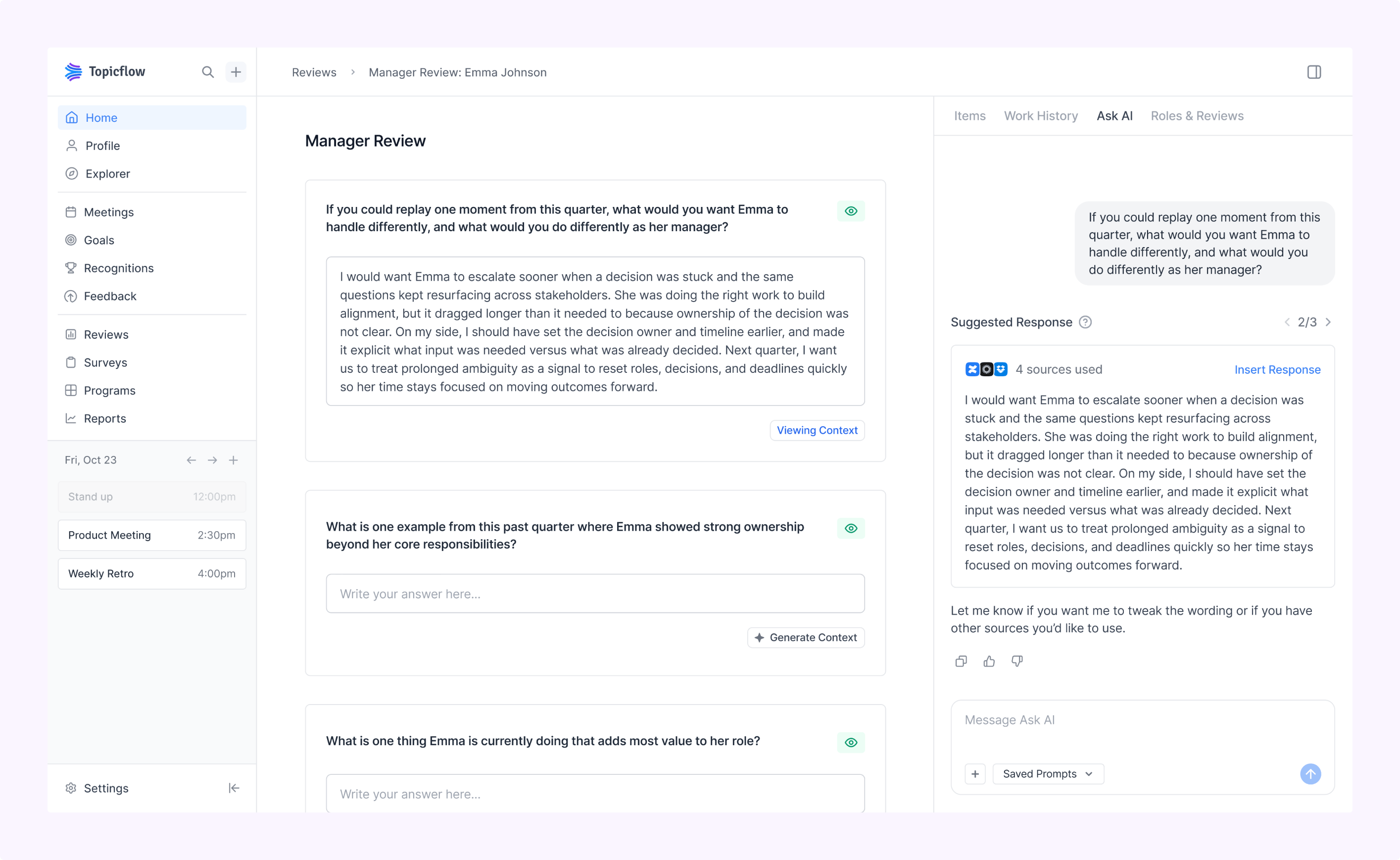
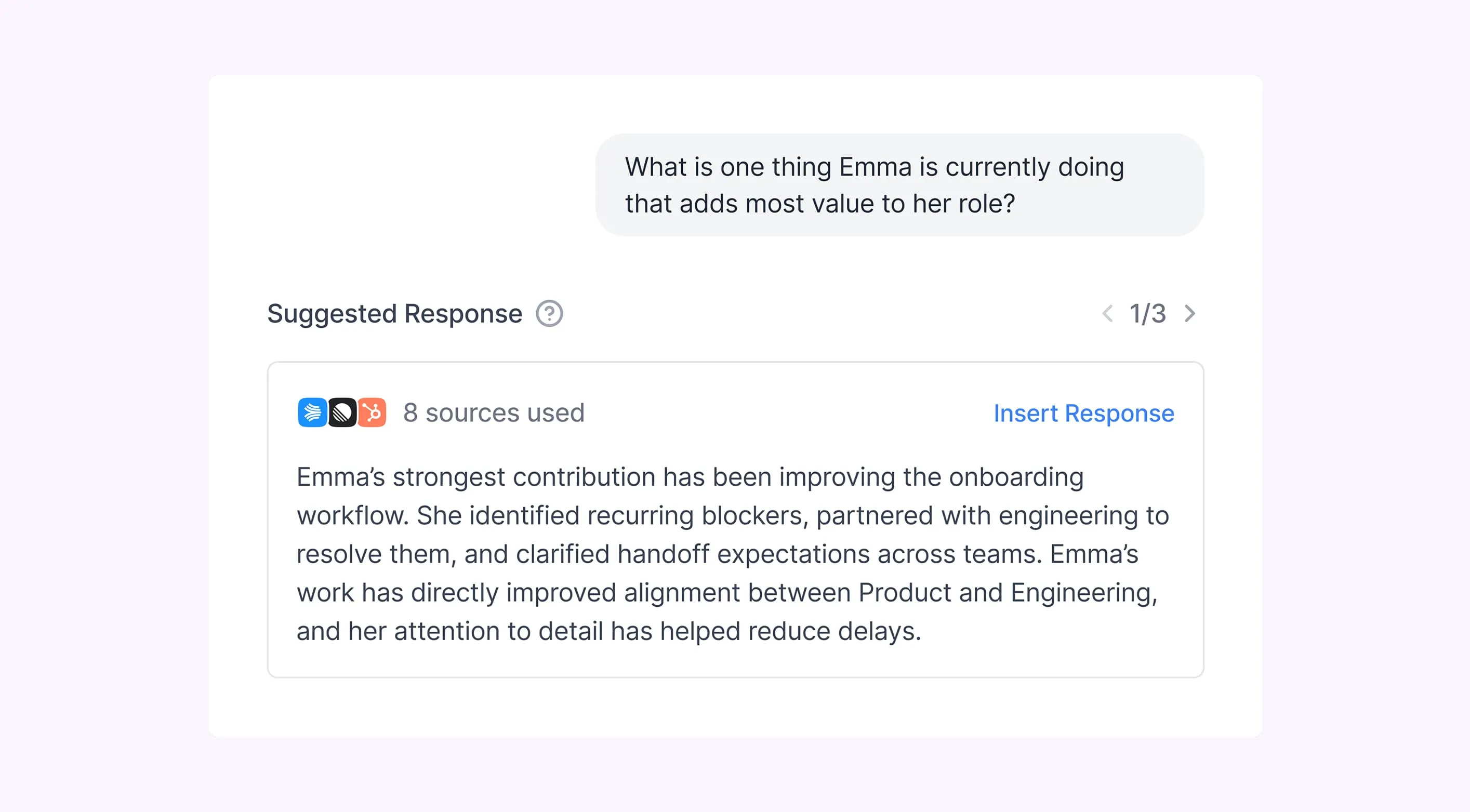
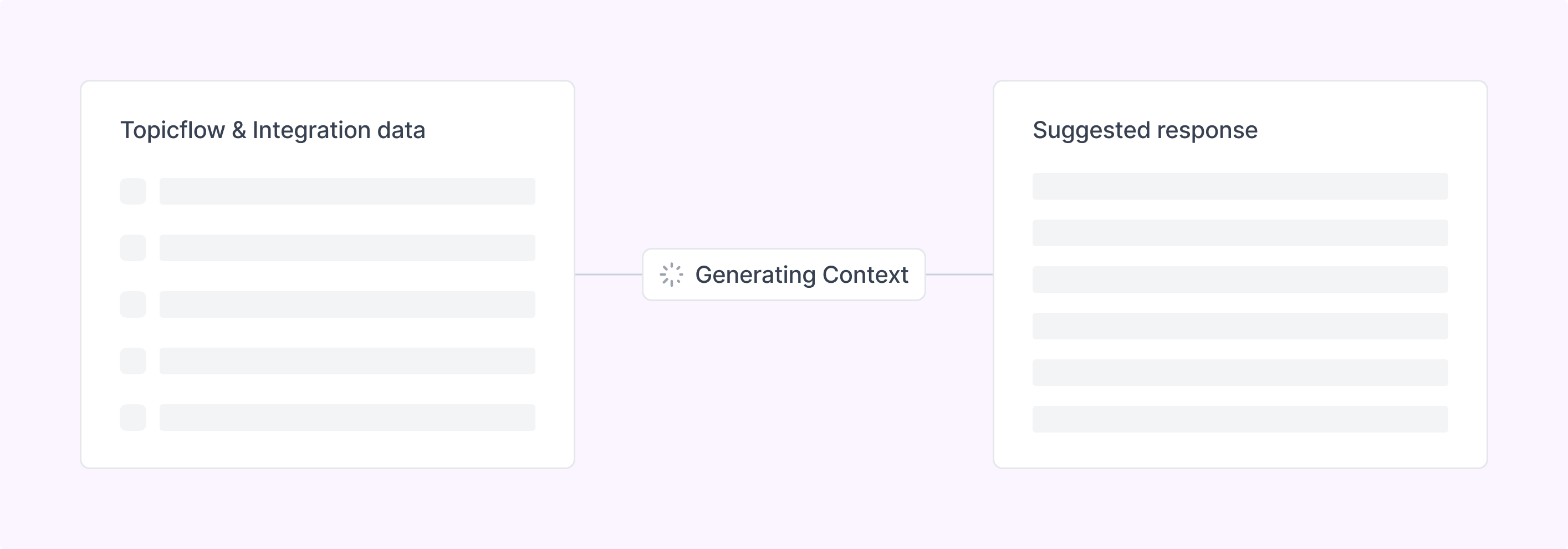
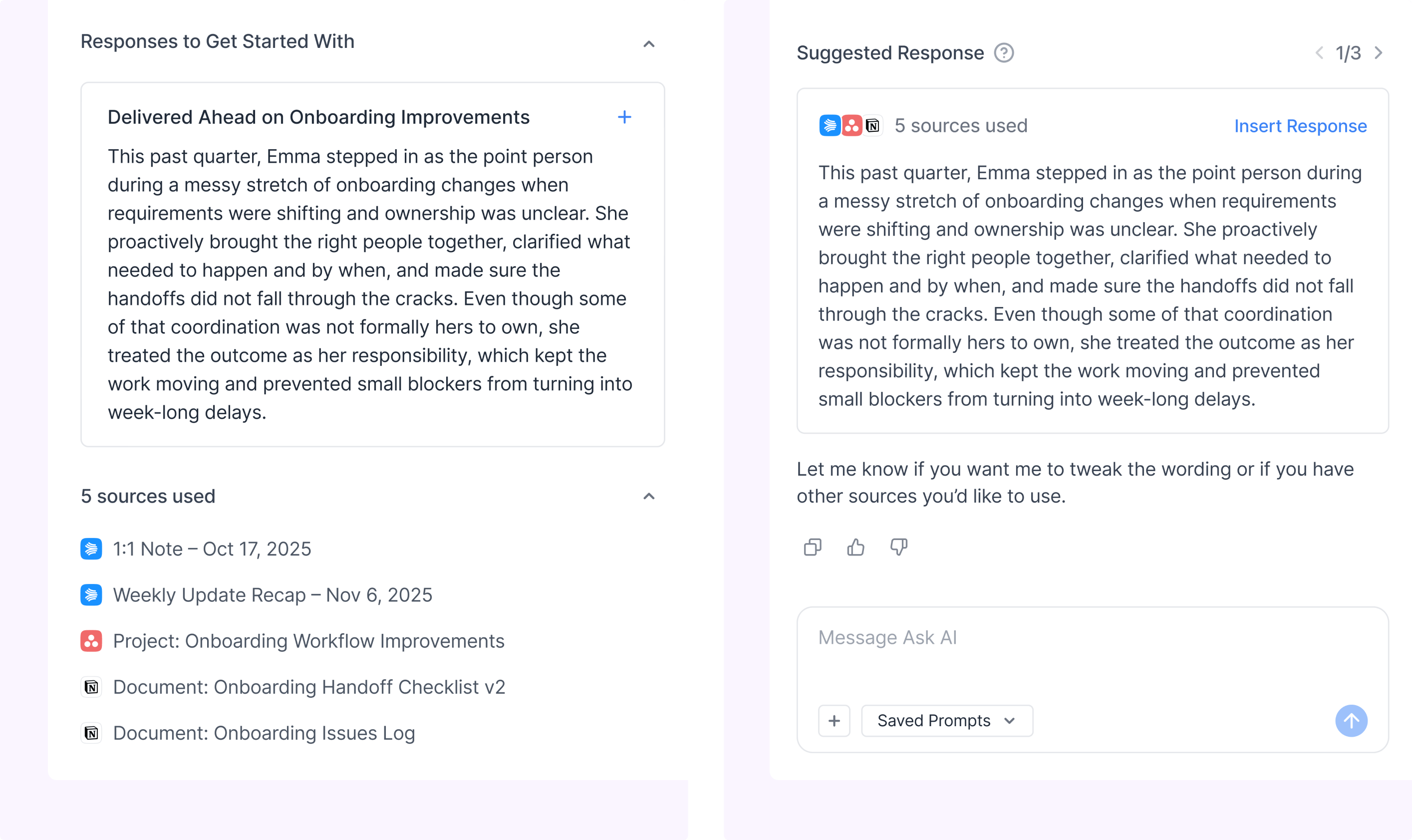
Under each review question, we added a compact “Generate Context” button. Clicking it opens Ask AI in the right side panel and generates suggested answers for that specific question. Each suggested answer comes with sources you can expand and click into. From there, the reviewer can insert a suggestion into the answer field or ask the AI to revise it. Insertion appends if the field already has content, so it doesn’t overwrite what someone already wrote. The goal was never “AI writes your review.” It was “you’re not starting from a blank page, and you can verify what the draft is based on.”
A key pivot in the design
The earliest version of this feature was more contained. Context generation lived in a dedicated experience that was focused and clean. But review writing is messy. People jump around, ask side questions, sanity check things, then come back. A dedicated flow made it feel like a separate mode you enter and exit, and it also separated the feature from the broader assistant. We moved context generation into the Ask AI chat as a persistent object so the generated response stayed within reach while users could still use the assistant normally. That shift made the feature feel more natural and reduced friction during writing.
.png)
Guardrails and trust
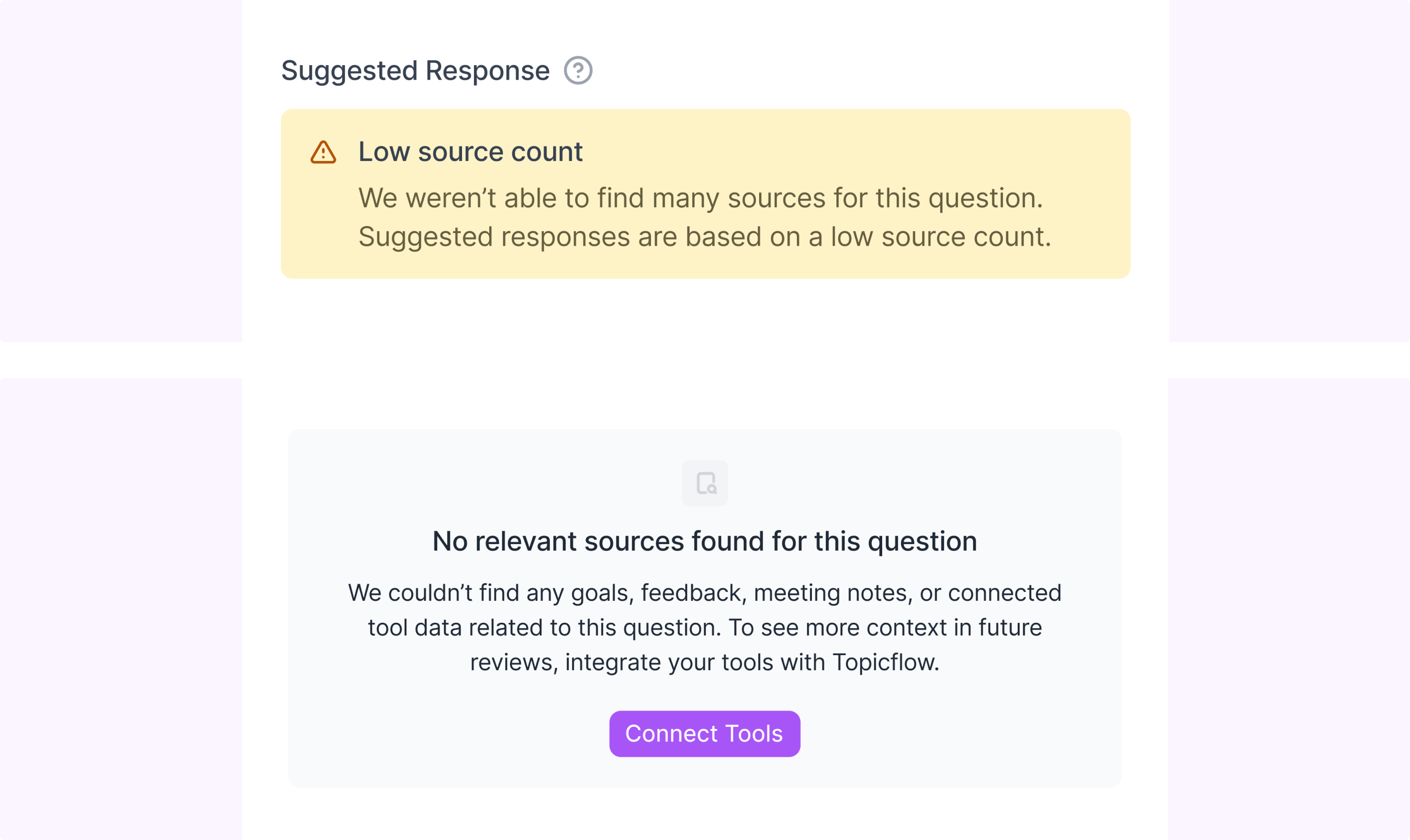
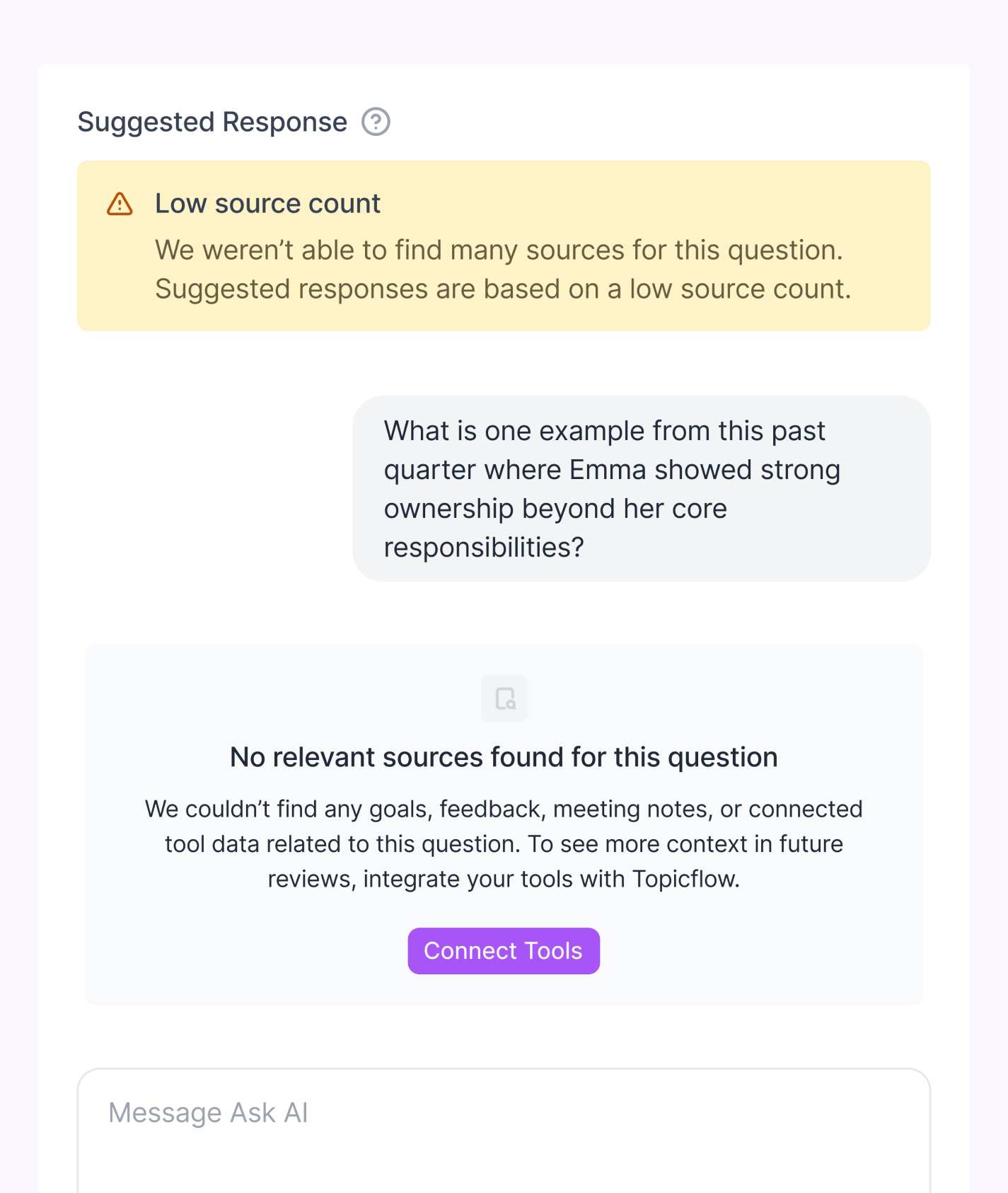
This feature sits in a high stakes workflow. One hallucinated claim or one suspicious source and people stop using it. So a lot of the work was defining what the system is allowed to do, and what it should refuse to do. We introduced evidence thresholds and made them visible in the UI. If we can’t find relevant sources, we don’t generate a suggested answer. Instead we open Ask AI with an info state explaining that we couldn’t find enough context and what to do next, including a CTA to connect tools for better coverage in future reviews. If we find only 1 to 3 sources, we still generate, but we warn that the suggestion is based on limited evidence. Only at 4 or more sources do we generate without a warning. This set expectations for users and gave us a shared internal bar for what “good enough” means while we evaluated quality.
Sources and permissions
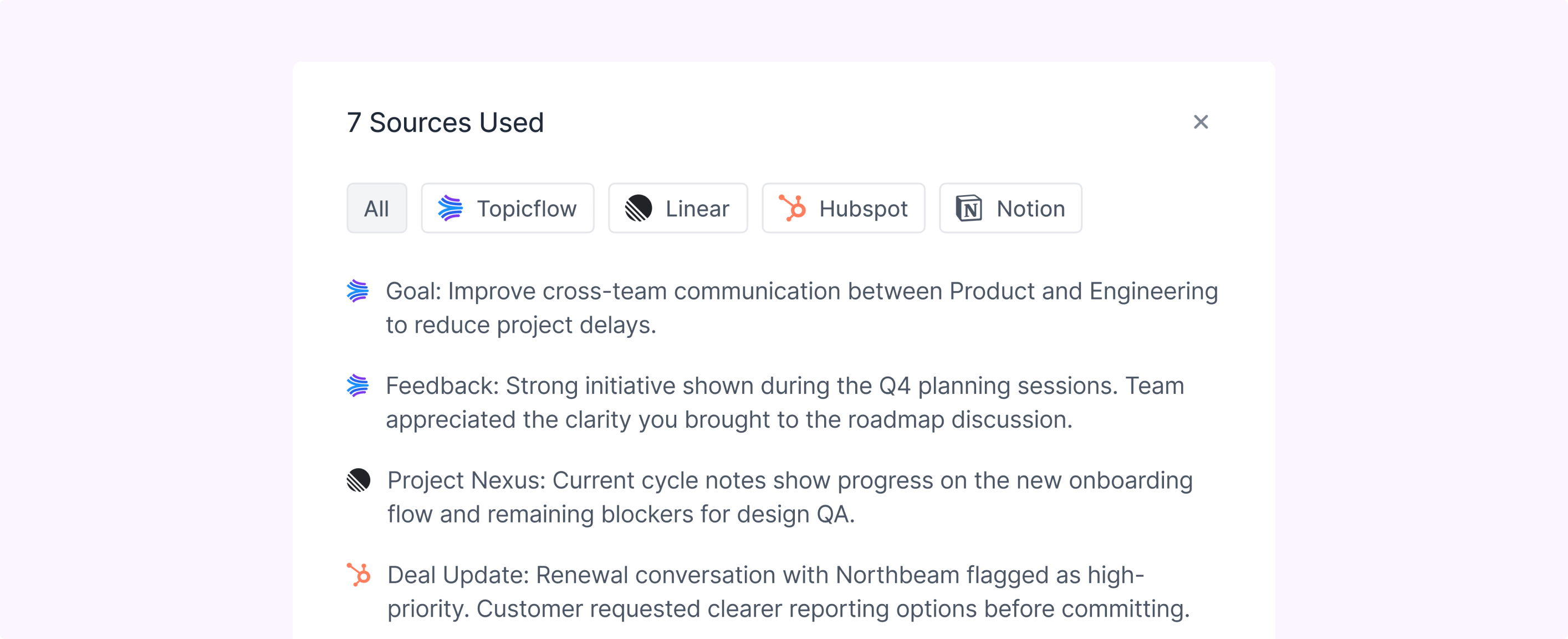
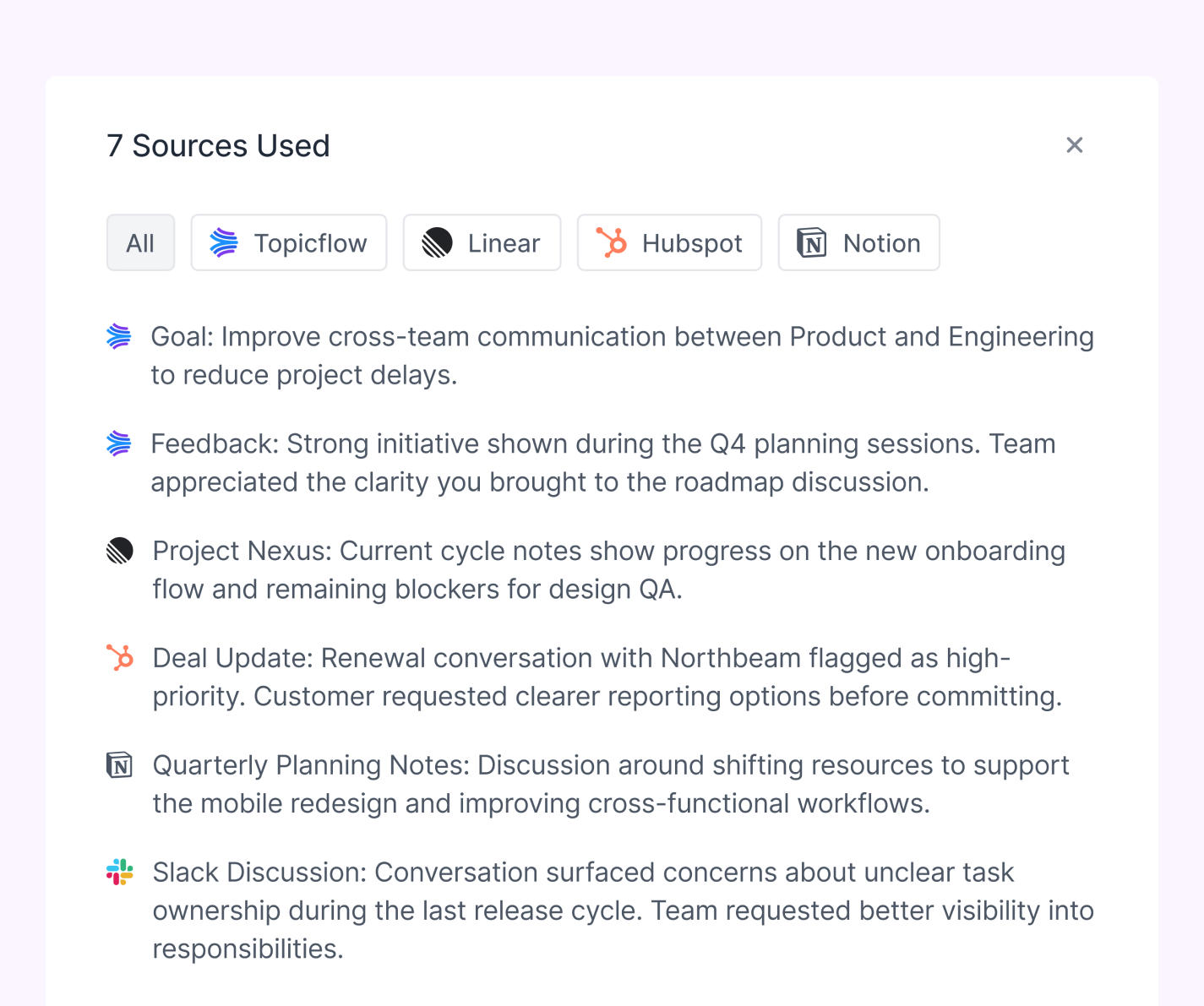
We were strict about what counts as a source. A source has to be something you can click and verify, because that’s what managers told us they wanted and it’s what makes the system debuggable. Sources include Topicflow objects like meetings, 1:1s, goals, action items, feedback, and recognition, plus external artifacts from connected tools. Topicflow objects respect existing permissions, and external sources follow the same principle. If you don’t have access to the original artifact, you don’t see it in the review.
Roles and delivery mode
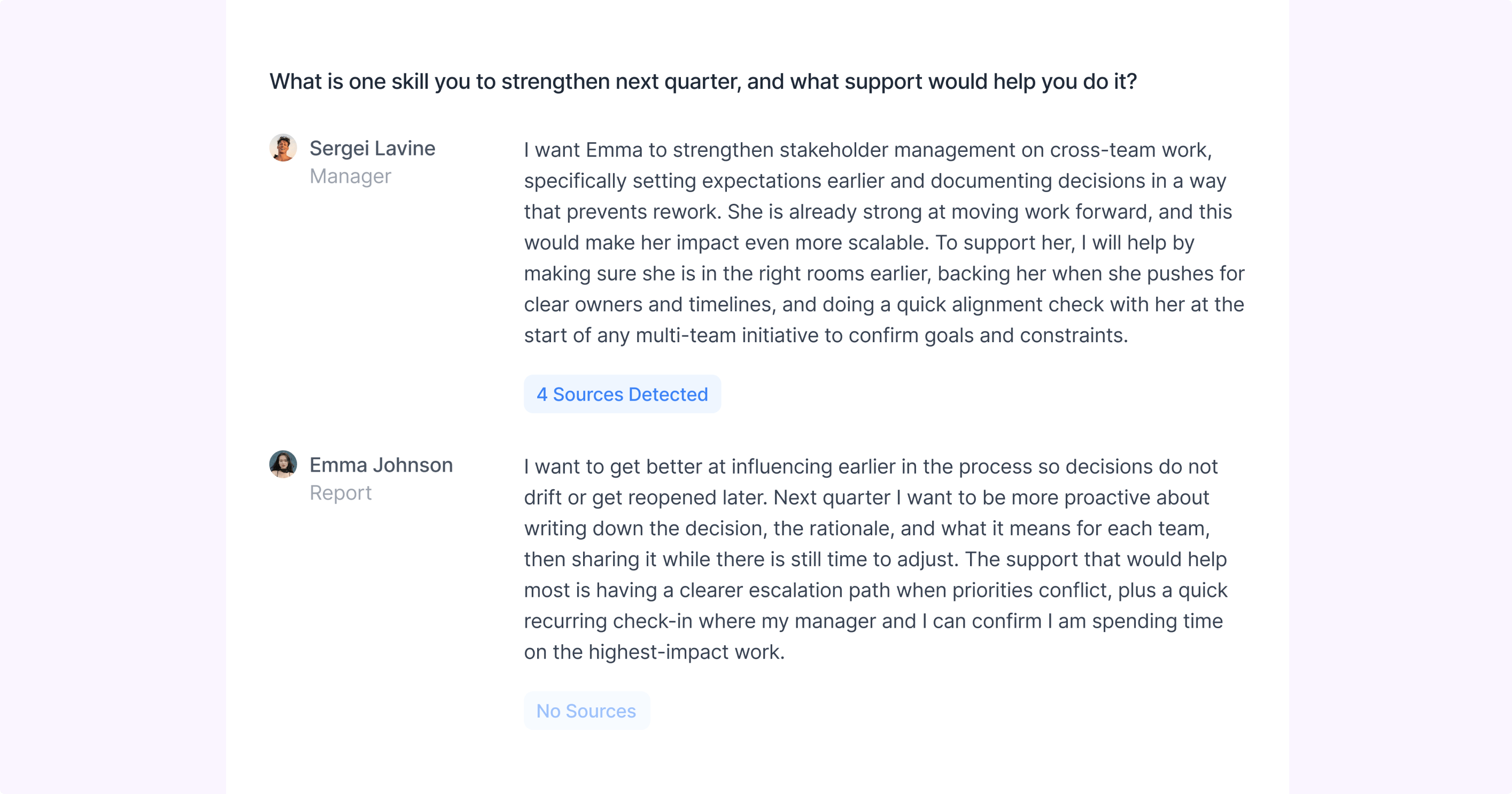
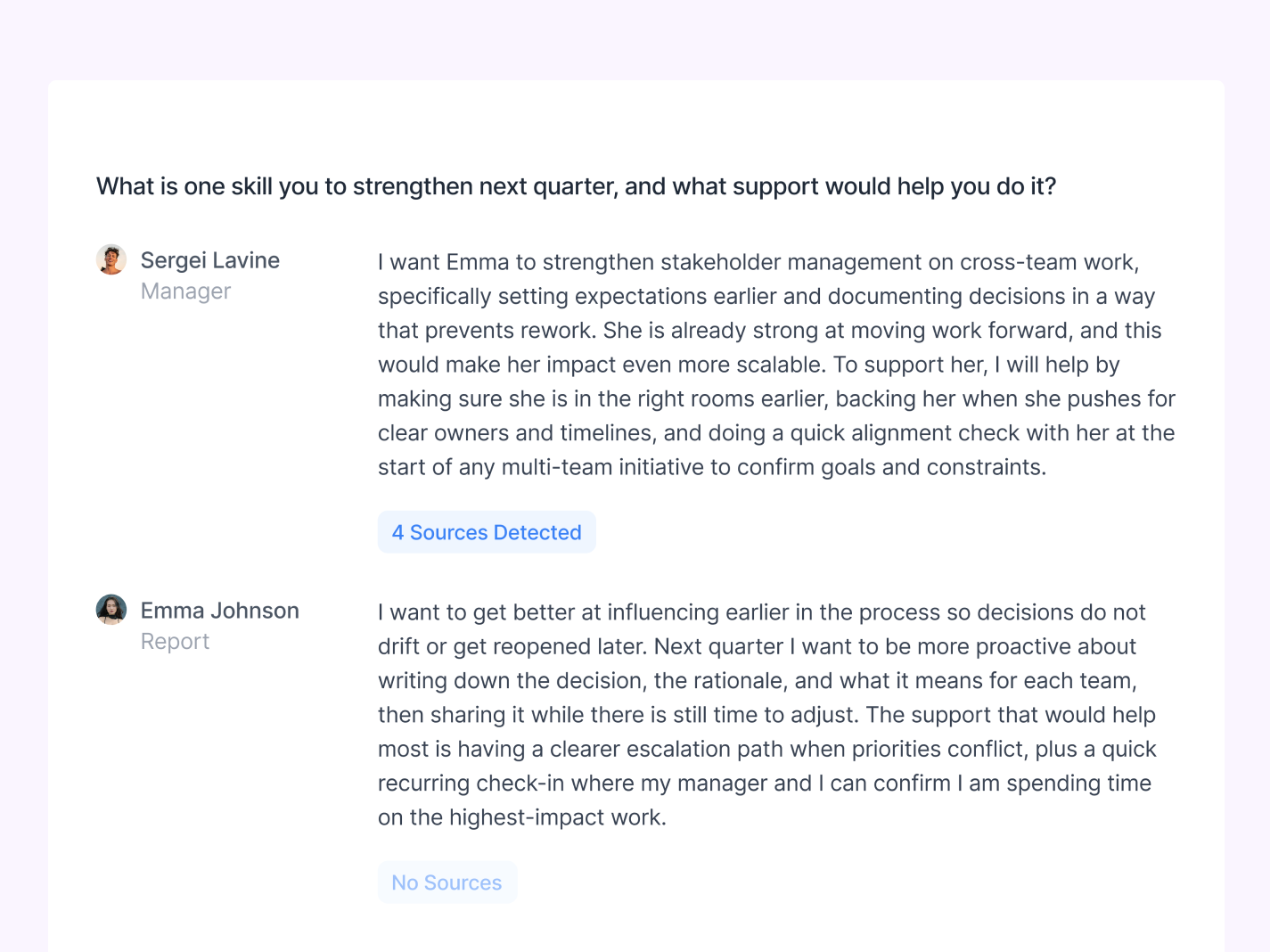
We designed this for both managers and ICs, even though the first rollout focused on managers. ICs can generate suggestions for self reviews, view sources they have access to, and insert suggestions into their answers. Managers can do the same for their reports, with suggestions tailored to their relationship and view. After a review is submitted, the experience switches to read only. No generating, no editing, no inserting. Just sources per question. The point of the delivered view is traceability, so someone can understand what a final answer was based on without reopening the whole workflow.
What happens after submission
People rarely use the AI draft verbatim. They rewrite, trim, change tone, and sometimes change meaning. If we only stored sources tied to the original suggestion, the evidence trail would drift away from what actually got submitted. So after submission, we try to update sources based on the final answer, not just the initial AI draft. It keeps the delivered view honest and makes the feature feel more credible over time.
Working with engineering
Most of my stakeholder work on this project was with engineering, because the design only works if the system behaves predictably. Speed mattered. Thin data mattered. Permissions mattered. And with the December 1st deadline, the question was always the same: what can we ship that is genuinely useful and not fragile?
The main implementation conversations were around defining what counts as a source, enforcing the evidence thresholds, handling permission filtering cleanly, and designing the empty states so they push users toward connecting tools instead of feeling like an error.
Beta learnings and what’s next
In our 2 week beta, out of roughly 150 users, about 70 clicked Generate Context at least once, and about 50% of those users did something with the output, like inserting, editing, or exploring sources.
The blank state problem was real and the entry point worked. But we also saw a trust gap. A noticeable portion of users copied the suggested response, pasted it into another tool, most likely another LLM, rewrote it there, then pasted it back into the review answer field. That suggests they wanted the starting point, but didn’t trust Topicflow as the place to refine the draft yet, or didn’t realize they could.
Two changes were already obvious from that behaviour.
- We should move from up to three suggestions to one stronger draft. It also improves the richness of the suggested response by synthesizing a response from more sources rather than spreading sources across multiple responses.
- We should make the post generation step more explicit so users are nudged to refine inside Topicflow instead of leaving the workflow.
My role
- I led manager interviews to research and document existing workflows and pain-points managers currently have with their 1:1 and review processes.
- I documented the PRD in Linear and maintained a PM role to push the project forward.
- I owned the interaction model end to end, including generation per question, how sources are shown and opened, how editing and insertion work, and how delivery mode becomes sources only.
- I led the pivot from a dedicated context flow into an object inside Ask AI chat.
- I worked closely with engineering on the decisions that made this shippable and defensible under a deadline, including evidence thresholds, permission behaviour, speed constraints, and designing for thin or missing data.
- Together with engineering, we monitored the usage from our beta group and documented behaviours that inferred priority changes for a v2.